As summer comes to an end, it’s time to get back in the seat and start reverse engineering again. While we still have some unfinished business with several formats, I thought I’d kick things off with a new one to get back in the groove of things. This one being the CDF file format used by MicroProse with a few of their games. Now unlike many of the other formats we have looked at so far, there are tools already out in the wild for manipulating these files. Most notably those made by Paulo Morais which I’ve seen mentioned and linked to on several EAW (European Air War) themed forums. Unfortunately only the binaries seem to exist, and there is no documentation I’ve been able to find that details the format, this post will hopefully change that.
So far I’ve identified a few titles using the CDF format, though there are probably more. Also like the PIC file format that we’ve looked at, it appears that the CDF format has evolved over time. So far I’ve identified 2 variants of the format. But that wasn’t discovered until later in the process, so much of what is discussed below centres on only being aware of the one variant at that time. I’ll then transition to analyzing the 2nd variant and identifying how it differs from the first. So far the following titles have been found to use the CDF format.
- European Air War – 1998
- 1942: Pacific Air War – 1994
- Task Force 1942* – 1992
Note: Task Force (TF) was found later in my decoding process and has a slightly different format and will be discussed later in this post
What is a CDF File
CDF files are much like CAT Files that we’ve looked at previously, in that they are an archive format containing several asset files within. What CDF actually stands for I’m not sure, but in one of the forum posts in my searches they referred to it as a “Compact Data File” which seems as good a name as any, so we’ll stick with it. To the best of my knowledge there is no public detail on the structure of the file, or how the data is compressed/encoded. It may have been publicly documented at some point, but that information has been lost to the sands of the internet and shuttered sites.
Existing Tools
There are tools (closed source as far as I know – or lost source) mainly Paulo Morais’ CDF Extractor that do allow for manipulating the CDF files. (There are a few others, but they are equally hard to find, and binary only) However these tools are old and aren’t supported in the latest versions of Windows from what I can see, as such are starting to age out of existence. Furthermore the original download sources for these tools seems to have vanished, nor are the sources publicly available that I can find. Many of the links pointing to information and discussions of the format are broken because the destination site or forum no longer exists. If anyone knows of an archive for the sources, or any documentation from EAW Online that Paulo may have made please drop me a note, and I’ll link it here.
First Look
As is tradition with these posts, we start by looking at the file with a hex editor to see what we can identify.
File: PIC.CDF  [2309056 bytes]
Offset    x0 x1 x2 x3 x4 x5 x6 x7 x8 x9 xA xB xC xD xE xF  Decoded Text
0000000x: 22 00 00 00 36 0E 00 00 48 4C 44 56 4E 4F 52 54  " · · · 6 · · · H L D V N O R T
0000001x: 2E 50 49 43 00 8A 20 00 00 CB 4E 00 00 54 5F 75  . P I C · ·   · · · N · · T _ u
0000002x: 1C 00 44 00 00 00 C4 08 00 00 44 41 59 50 41 4C  · · D · · · · · · · D A Y P A L
0000003x: 2E 50 49 43 00 00 00 55 6F 00 00 11 03 00 00 01  . P I C · · · U o · · · · · · ·

22 00 00 00: 0x00000022 (34)
36 0E 00 00: 0x00000E36 (3638)
1C  ...  00: 34 bytes
First thing I see is it looks a lot like the CAT files we’ve looked at previously. However we seem to have what looks like two 32bit values before the first filename. With CAT files we had a single 16 bit value indicating the number of records. While the value of 34 would seem to be reasonable, looking deeper into the file we appear to have many more than 34 records. Perhaps that 2nd 32 bit value comes into play somehow, but we certainly don’t have 3638 entries either. So we’ll set those aside for the moment. Next using the filenames as landmarks we can see that the record size looks to be 34 bytes, where with CAT files it was 24 bytes. Clearly we have some structural differences from the CAT format. Scanning down through the file we can see what looks to be the beginning of a PIC90 file with the M0 marker indicating palette data is to follow, and that does indeed appear to be the case. So with that in mind it appears that our first file’s data begins at 0x00208A. And we do indeed find that value in our first record. so now we know where the file offset is in the record.
File: PIC.CDF  [2309056 bytes]
Offset    x0 x1 x2 x3 x4 x5 x6 x7 x8 x9 xA xB xC xD xE xF  Decoded Text
0000000x: 22 00 00 00 36 0E 00 00 48 4C 44 56 4E 4F 52 54  " · · · 6 · · · H L D V N O R T
0000001x: 2E 50 49 43 00 8A 20 00 00 CB 4E 00 00 54 5F 75  . P I C · ·   · · · N · · T _ u
0000002x: 1C 00 44 00 00 00 C4 08 00 00 44 41 59 50 41 4C  · · D · · · · · · · D A Y P A L
0000003x: 2E 50 49 43 00 00 00 55 6F 00 00 11 03 00 00 01  . P I C · · · U o · · · · · · ·
        ⋮                                                 ⋮
0000206x: 12 00 00 29 64 75 1C 00 FF FF FF FF FF FF FF FF  · · · ) d u · · · · · · · · · ·
0000207x: 5A 52 56 49 43 30 31 2E 50 49 43 00 00 A4 CA 22  Z R V I C 0 1 . P I C · · · · "
0000208x: 00 1C 71 00 00 7C 7E 22 1B 00 4D 30 02 03 00 FF  · · q · · | ~ " · · M 0 · · · ·
0000209x: 00 21 21 00 00 00 29 12 0D 3A 00 00 21 00 00 19  · ! ! · · · ) · · : · · ! · · ·

8A 20 00 00: 0x0000208A (8330) Offset of file 1 data.
55 6F 00 00: 0x00006F55 (28501) Offset of File 2 Data.
4D 30: "M0" Palette block marker in a PIC90 image file.
We can use this offset to determine how many records we have, and possibly how many additional header bytes we have. (assuming we have no trailing bytes) If we take the offset and divide it by our record size we will get how many records we have. any fractional component will indicate leading and/or trailing bytes.
8330 ÷ 34 = 245.0
Okay, interesting, so we have no leading or trailing bytes, but we do appear to have 245 file records. With that we can also start to establish what the various fields of the records are, with what we know already. We can clearly see the two 32bit values at the start of the record, followed by the filename, which unlike CAT files, is a 13 byte field allowing for a null terminator. Though it is possible it’s not a null terminator, and rather another 1 byte field, but for now I will assume it is a terminator. Subtracting the 2nd file offset from the first gives us 20171 (0x4ECB), so we can identify the file size field following the offset Field just like CAT. We can use CAT as a hint that what follows the size is likely the 32bit DOS timestamp of the file. This is followed by a single byte, this is possibly a padding byte, though not sold on that as they did not pad after the odd length of the filename field.
File: PIC.CDF  [2309056 bytes]
Offset    x0 x1 x2 x3 x4 x5 x6 x7 x8 x9 xA xB xC xD xE xF  Decoded Text
0000000x: 22 00 00 00 36 0E 00 00 48 4C 44 56 4E 4F 52 54  " · · · 6 · · · H L D V N O R T
0000001x: 2E 50 49 43 00 8A 20 00 00 CB 4E 00 00 54 5F 75  . P I C · ·   · · · N · · T _ u
0000002x: 1C 00 44 00 00 00 C4 08 00 00 44 41 59 50 41 4C  · · D · · · · · · · D A Y P A L
0000003x: 2E 50 49 43 00 00 00 55 6F 00 00 11 03 00 00 01  . P I C · · · U o · · · · · · ·

22 00 00 00: 0x00000022 (34)
36 0E 00 00: 0x00000E36 (3638)
48  ...  00: "HLDVNORT.PIC" Null terminated Filename (13 bytes)
8A 20 00 00: 0x208A Offset of file data.
CB 4E 00 00: 0x4ECB (20171) Size of file
54 5F 75 1C: Date Stamp?
00: Padding?
With that, we have a really good definition already of the data, so let’s build up a structure and read all the records.
typedef struct {
    uint32_t UNK1;      // Unknown 1
    uint32_t UNK2;      // Unknown 2
    char name[13];      // in DOS 8.3 format + null
    uint32_t offset;    // absolute file offset to start of data for this entry
    uint32_t size;      // data length of this entry
    uint32_t timestamp; // DOS timestamp
    uint8_t UNK3;       // Unknown 3
} cdf_entry_t;
Using our code from handling CAT files, I used the structure above, and then modified it to use the first file offset to calculate the number of entries, and then to read in and print the entries for the calculated count.
Opening: 'PIC.CDF'	File Size: 2309056 bytes
Reading 245 file entries
IDX: FILENAME     TERM  SIZE        DATE  TIME        OFFSET    ENTRYOFS  UNK1     UNK2     UNK3
  1: HLDVNORT.PIC (00) 20171 21 Mar 1994  10:58:40 -> 0000208a [00000000: 00000022 00000e36 00]
  2:   DAYPAL.PIC (00)   785 18 Mar 1994  12:16:02 -> 00006f55 [00000022: 00000044 000008c4 ff]
  3: CBATTLES.PIC (00)  3092 29 Mar 1994  18:08:26 -> 00007266 [00000044: 00000066 00000550 00]
  4: AVENLSHL.PIC (00)  7747 18 Mar 1994  15:02:00 -> 00007e7a [00000066: 00000088 00000330 00]
  5: A5M2RSHL.PIC (00)  7424 18 Mar 1994  15:35:40 -> 00009cbd [00000088: 000000aa 000001fe 00]
  6: A5M2EAST.PIC (00)  7812 18 Mar 1994  15:35:38 -> 0000b9bd [000000aa: 000000cc 00000132 01]
  7:  A5M2DAY.PIC (00)   785 18 Mar 1994  15:35:42 -> 0000d841 [000000cc: 000000ee 00000110 00]
  8:  A5M2ARM.PIC (00) 30749  6 Mar 1994  12:09:34 -> 0000db52 [000000ee: ffffffff ffffffff 00]
  9: A5M2DOWN.PIC (00)  7452 18 Mar 1994  15:35:36 -> 0001536f [00000110: ffffffff ffffffff 00]
 10: A5M2LSHL.PIC (00)  7351 18 Mar 1994  15:35:42 -> 0001708b [00000132: 00000154 00000198 00]
 11: A5M2LEFT.PIC (00)  5300 18 Mar 1994  15:35:42 -> 00018d42 [00000154: ffffffff 00000176 01]
 12:  A5M2LMP.PIC (00)   785 22 Mar 1994  14:06:02 -> 0001a1f6 [00000176: ffffffff ffffffff 00]
 13: A5M2NORT.PIC (00) 21641 18 Mar 1994  15:51:10 -> 0001a507 [00000198: 000001ba 000001dc 00]
 14:  A5M2NGT.PIC (00)   785 18 Mar 1994  15:35:42 -> 0001f990 [000001ba: ffffffff ffffffff 00]
 15: A5M2RIGH.PIC (00)  5321 18 Mar 1994  15:35:40 -> 0001fca1 [000001dc: ffffffff ffffffff 00]
 16: ALTITUDE.PIC (00)   597 18 Jan 1994  08:59:54 -> 0002116a [000001fe: 00000220 000002a8 00]
As can be seen from above, we appear to have been correct for all the known fields. The TERM byte is 0 for all the entries, so I think it’s safe to consider that as part of the filename field. Next thing of note is the two 32bit unknown fields. These seem to hold a value that looks like an offset to another entry, or 0xffffffff. These look suspiciously like left and right branch pointers for a tree structure. If we assume a binary tree and UNK1 is left, then these should point to files that should appear before alphabetically. Indeed walking down we do see that from 1-7 That order does seem to hold, with 7 having 0xffffffff indicating no children branches. UNK2 should then be the right branch, meaning entries that are greater alphabetically. Once again using entries 4, 5, and 6 above we can see that this is once again looks to be true. That just leaves the final byte UNK3. I initially thought this to be a padding byte, so this would be either zero or some random uninitialized value, but again we appear to have very specific values of either 0, 1, or ff – far too regular to be random uninitialized data. This must be some sort of flag related to the tree structure, just not sure about it yet. With that in mind let’s update our structure with what we do believe so far.
typedef struct {
    uint32_t left;      // absolute file offset of left node
    uint32_t right;     // absolute file offset of right node
    char name[13];      // in DOS 8.3 format + null
    uint32_t offset;    // absolute file offset to start of data for this entry
    uint32_t size;      // data length of this entry
    uint32_t timestamp; // DOS timestamp
    uint8_t UNK3;       // Unknown 3
} cdf_entry_t;
I’ll write some code to traverse the tree nodes to determine the number of entries, instead of calculating it using the offset of the first file, to confirm this is actually a proper tree structure. I’ll also reformat our output to see if it kicks the brain along any.
// simple node struct for walking the tree
typedef struct {
    int32_t left;
    int32_t right;
} nodes_t;

uint32_t count_tree_nodes(FILE *fp, size_t sz) {
    uint32_t nodes = 1;
    nodes_t children;

    // read in the node
    int nr = fread(&children, sizeof(nodes_t), 1, fp);
    if(1 != nr) {
        printf("ERROR: reading file\n");
        return 0;
    }

    // range check the child branch values
    if((children.left > (int32_t)sz) || (children.right > (int32_t)sz)) {
        printf("ERROR: child node out of range (%d, %d) > %zu\n",
            children.left, children.right, sz);
        return 0;
    }

    // count the left branch
    if(children.left >= 0) {
        fseek(fp, children.left, SEEK_SET);
        uint32_t cc = count_tree_nodes(fp, sz);
        if(0 == cc) return 0;
        nodes += cc;
    }

    // count the right branch
    if(children.right >= 0) {
        fseek(fp, children.right, SEEK_SET);
        uint32_t cc = count_tree_nodes(fp, sz);
        if(0 == cc) return 0;
        nodes += cc;
    }

    return nodes;
}
Now let’s see what that produces for us.
Opening: 'PIC.CDF'	File Size: 2309056 bytes
Discovered 245 file entries
IDX: FILENAME      SIZE        DATE  TIME        OFFSET     LT  RT UNK3
  0: HLDVNORT.PIC 20171 21 Mar 1994  10:58:40 -> 0000208a [  1 107  0]
  1:   DAYPAL.PIC   785 18 Mar 1994  12:16:02 -> 00006f55 [  2  66 -1]
  2: CBATTLES.PIC  3092 29 Mar 1994  18:08:26 -> 00007266 [  3  40  0]
  3: AVENLSHL.PIC  7747 18 Mar 1994  15:02:00 -> 00007e7a [  4  24  0]
  4: A5M2RSHL.PIC  7424 18 Mar 1994  15:35:40 -> 00009cbd [  5  15  0]
  5: A5M2EAST.PIC  7812 18 Mar 1994  15:35:38 -> 0000b9bd [  6   9  1]
  6:  A5M2DAY.PIC   785 18 Mar 1994  15:35:42 -> 0000d841 [  7   8  0]
  7:  A5M2ARM.PIC 30749  6 Mar 1994  12:09:34 -> 0000db52 [ -1  -1  0]
  8: A5M2DOWN.PIC  7452 18 Mar 1994  15:35:36 -> 0001536f [ -1  -1  0]
  9: A5M2LSHL.PIC  7351 18 Mar 1994  15:35:42 -> 0001708b [ 10  12  0]
 10: A5M2LEFT.PIC  5300 18 Mar 1994  15:35:42 -> 00018d42 [ -1  11  1]
 11:  A5M2LMP.PIC   785 22 Mar 1994  14:06:02 -> 0001a1f6 [ -1  -1  0]
 12: A5M2NORT.PIC 21641 18 Mar 1994  15:51:10 -> 0001a507 [ 13  14  0]
 13:  A5M2NGT.PIC   785 18 Mar 1994  15:35:42 -> 0001f990 [ -1  -1  0]
 14: A5M2RIGH.PIC  5321 18 Mar 1994  15:35:40 -> 0001fca1 [ -1  -1  0]
 15: ALTITUDE.PIC   597 18 Jan 1994  08:59:54 -> 0002116a [ 16  20  0]
We can see we still get 245 files, so it’s safe to say it is indeed a binary tree structure as we traversed through all the records we have. Also by changing the formatting to be indices for the left and right and signed integers, I can see the structure more clearly. I’m thinking that final byte is a flag for helping maintain balance of the tree. Meaning this is could be an AVL tree structure.
AVL Trees
So what is an AVL tree you might ask? AVL trees are a form self balancing binary trees. They are very efficient structures that are equally fast for searching and inserting. AVL trees are probably the oldest form of a self balancing binary tree, first published back in 1962 by two Soviet programmers Georgy Adelson-Velsky and Evgenii Landis for whom it is named after. AVL trees work by maintaining a balance factor at each node that is based on the difference in depth between its left and right branches. If the balance factor exceeds -1 in the negative or 1 in the positive then a restructuring is performed by “rotating” nodes to bring the tree back into balance. At most a double rotation is required to re-balance the tree on a single insertion or deletion. I won’t go into too much detail, as I think the wikipedia article does a pretty good job explaining it. Suffice it to say I think the -1, 0, 1 values of the last byte in our structure are pretty clear indicators that this is a AVL tree structure we’re looking at. The balance factor isn’t important to be able to read and parse the tree, it only comes into play if we were to insert or delete a node on the tree. We will come back to AVL trees in the next post on the CDF file format when we get into creating and modifying the CDF files.
With everything we know now we’re left with the following structure. Note the changes from unsigned to signed data types for the AVL related fields.
typedef struct {
    int32_t left;       // absolute file offset of left node
    int32_t right;      // absolute file offset of right node
    char name[13];      // in DOS 8.3 format + null
    uint32_t offset;    // absolute file offset to start of data for this entry
    uint32_t size;      // data length of this entry
    uint32_t timestamp; // DOS timestamp
    int8_t balance;     // AVL balance factor
} cdf_entry_t;
Extracting data
The process here is identical to what we did with the CAT files. In fact since we just edited the CAT file code for the new structure we already have everything we need. The process for extracting is simple, we just need to seek to the specified offset for the file we want, and copy the size number of bytes out into a new file. With that let’s extract a selection of the image files.
MicroProse CDF File Extractor
Opening: 'PIC.CDF'	File Size: 2309056 bytes
Discovered 245 file entries
  1: HLDVNORT.PIC 20171 21 Mar 1994  10:58:40 -> 0000208a [  2 108  0] [Extracting]
   ⋮
 71: DEMOTITL.PIC 27366  8 Nov 1993  18:39:08 -> 00071502 [ 72  73  0] [Extracting]
 72:    DEBUG.PIC  1154 20 Dec 1993  13:01:46 -> 00077fe8 [ -1  -1  0] [Extracting]
 73:   DETAIL.PIC 17586 23 Mar 1994  18:37:10 -> 0007846a [ -1  -1  0] [Extracting]
   ⋮
 88:     HELL.PIC 22814 22 Nov 1993  14:56:24 -> 00091f88 [ 89  -1 -1] [Extracting]
   ⋮
231:  WILDARM.PIC 29196 15 Apr 1994  11:53:36 -> 0020980f [232 235  0] [Extracting]
   ⋮
234:  WCVIC01.PIC 23521  2 Sep 1993  15:51:46 -> 00216f65 [ -1  -1  0] [Extracting]
   ⋮
243: YAMAMOTO.PIC 26215  1 Feb 1994  09:41:14 -> 0022514b [244 245  0] [Extracting]
   ⋮
245:  ZRVIC01.PIC 28956  2 Sep 1993  15:51:56 -> 0022caa4 [ -1  -1  0] [Extracting]

% ls -al *.PIC
-rw-r--r--   1154 20 Dec  1993 DEBUG.PIC
-rw-r--r--  27366  8 Nov  1993 DEMOTITL.PIC
-rw-r--r--  17586 23 Mar  1994 DETAIL.PIC
-rw-r--r--  22814 22 Nov  1993 HELL.PIC
-rw-r--r--  20171 21 Mar  1994 HLDVNORT.PIC
-rw-r--r--  23521  2 Sep  1993 WCVIC01.PIC
-rw-r--r--  29196 15 Apr  1994 WILDARM.PIC
-rw-r--r--  26215  1 Feb  1994 YAMAMOTO.PIC
-rw-r--r--  28956  2 Sep  1993 ZRVIC01.PIC
Well the extractions seemed to work. Now we expect these to be PIC90 formatted images based on what we saw, but let’s quickly confirm that.
% picinfo HLDVNORT.PIC
'HLDVNORT.PIC': PIC91: [PAL] Image: 320x200 0x0b: max-bits: 11
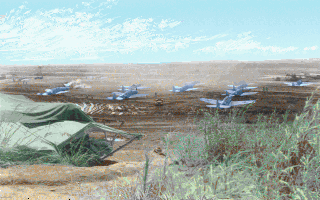
Nothing left to do but to render them to see what is in there. This particular PIC.CDF file is from Pacific Air War.
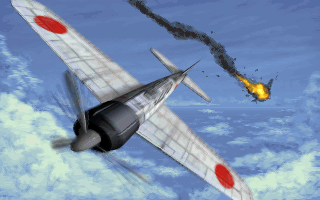
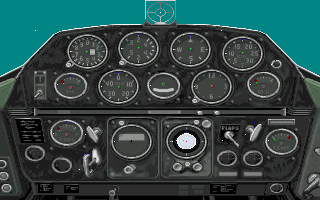
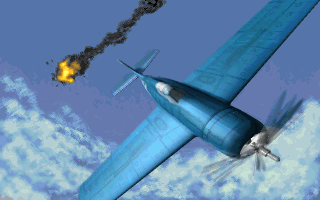
I have to say, MicroProse really made some really beautiful artwork in this era of their games.
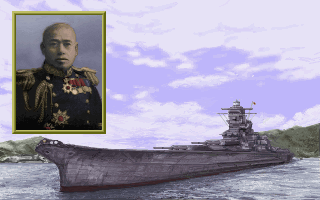
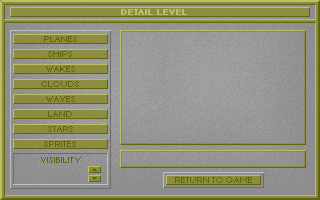
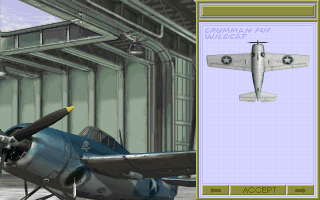
There were even some leftovers from development left in the file
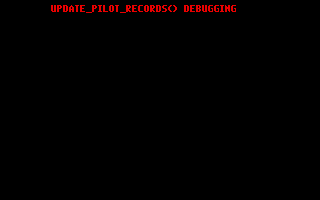

Would love to know the history behind the Air Strike Pacific working title for Pacific Air War.
And then there was this

I’ll be honest I did not have “Nude pics of Barbara Hershey” on my bingo card when I started this.

Not sure what to make of these other than it looks like someone was unhappy at MicroProse.
One more game Ma!
As I was going through working out the format using the PIC.CDF file from Pacific Air War another title was identified as using the CDF format, Task Force 1942. However when I tried to open the PIC.CDF file from that title I couldn’t read it. Maybe I got something wrong with the format, though it seemed correct without any uneasy assumptions. nothing to do but to take a look. (Also the existing tools out there cannot open the Task Force files)
File: PIC.CDF  [1593725 bytes]
Offset    x0 x1 x2 x3 x4 x5 x6 x7 x8 x9 xA xB xC xD xE xF  Decoded Text
0000000x: 1C 00 44 04 53 43 45 4E 4D 41 50 36 2E 50 49 43  · · D · S C E N M A P 6 . P I C
0000001x: 00 88 08 00 00 1D 5D 15 86 6B 19 00 38 00 DC 01  · · · · · · ] · · k · · 8 · · ·
0000002x: 4A 50 47 55 4E 44 49 52 2E 50 49 43 00 A5 65 00  J P G U N D I R . P I C · · e ·
0000003x: 00 A3 45 49 A2 6B 19 00 54 00 6C 01 49 4A 4E 48  · · E I · k · · T · l · I J N H

53  ...  01: 28 byte record size
The first thing that jumps out at me is that instead of the 8 bytes (two 32bit values) we only seem to have 4 bytes before the first filename. This is closer to what we saw with CAT files. Next we can see that there are 34 bytes per record we have 28 bytes, using the filenames as landmarks for measuring. So clearly there are some changes, but it’s also not a CAT file, as it is different from that too. Taking our knowledge from the other CDF variant we just figured out, and assume the same overall structure, then we may have two 16 bit values instead of two 32 bit values before the filename. This would account for some of the size reduction. Let’s see if that makes sense.
File: PIC.CDF  [1593725 bytes]
Offset    x0 x1 x2 x3 x4 x5 x6 x7 x8 x9 xA xB xC xD xE xF  Decoded Text
0000000x: 1C 00 44 04 53 43 45 4E 4D 41 50 36 2E 50 49 43  · · D · S C E N M A P 6 . P I C
0000001x: 00 88 08 00 00 1D 5D 15 86 6B 19 00 38 00 DC 01  · · · · · · ] · · k · · 8 · · ·
0000002x: 4A 50 47 55 4E 44 49 52 2E 50 49 43 00 A5 65 00  J P G U N D I R . P I C · · e ·
0000003x: 00 A3 45 49 A2 6B 19 00 54 00 6C 01 49 4A 4E 48  · · E I · k · · T · l · I J N H
        ⋮                                                 ⋮
0000086x: 98 0B 51 17 00 37 97 19 86 6B 19 01 FF FF FF FF  · · Q · · 7 · · · k · · · · · ·
0000087x: 57 41 52 50 49 43 39 2E 50 49 43 00 20 42 E8 17  W A R P I C 9 . P I C ·   B · ·
0000088x: 00 3B 69 1C 86 6B 19 00 4D 30 02 03 00 FF 00 00  · ; i · · k · · M 0 · · · · · ·
0000089x: 00 00 00 00 2A 00 00 3A 00 00 3F 3F 3F 2C 34 3F  · · · · * · · : · · ? ? ? , 4 ?

1C 00: 0x001C (28) Left Node
44 04: 0x0444 (68) Right Node
53  ...  00: "SCENMAP6.PIC" Null terminated Filename (13 bytes)
88 08 00 00: 0x00000888 (2184) Offset of file 1 data.
A5 65 00 00: 0x000065A5 (26021) Offset of file 2 data.
4D 30: "M0" Palette block marker in a PIC90 image file.
Just like before we can do some math to verify a few things. First is the first 16 bits, they do appear to point to the next record (has a value of 28, and our determined record size is 28), which would be consistent with being the left branch. Next we can identify that the file name appears to still be the same 13 byte field, allowing for a null terminator. Then we see that is followed by the 32bit file offset for the data (luckily the data was a PIC90 file, so easy to spot the start). However now things get a bit tougher, as we had a 32bit file size, and a 32bit time stamp, and a one byte flag (9 bytes in total) however we only have 7 bytes left before the next record starts.
26021 – 2184 = 23837 (0x00005D1D)
We expect the size to follow the offset, and by calculating the length of the first file we do indeed see the 0x5D1D but not the additional four 00‘s we would expect if this was a 32 bit field, so it looks like the size was truncated down to 16 bits too. This would account for the two bytes we are missing with what remains, meaning that what follows is the 32 bit timestamp and the one byte AVL balancing flag. With that I think we have it. Let’s modify our structure for this variant and see what we get.
typedef struct {
    int16_t left;       // absolute file offset of left node
    int16_t right;      // absolute file offset of right node
    char name[13];      // in DOS 8.3 format + null
    uint32_t offset;    // absolute file offset to start of data for this entry
    uint16_t size;      // data length of this entry
    uint32_t timestamp; // DOS timestamp
    int8_t balance;     // AVL balance factor flag
} cdf_entry_t;
With our structure updated to be what we believe is the changes, let’s see if we can read it.
Opening: 'PIC.CDF'	File Size: 1593725 bytes
Discovered 78 file entries
  1: SCENMAP6.PIC 23837 11 Nov 1992  15:48:42 -> 00000888 [  1  39  0]
  2: JPGUNDIR.PIC 17827 11 Nov 1992  19:18:18 -> 000065a5 [  2  17  0]
  3:  IJNHEND.PIC 34300 11 Nov 1992  15:48:06 -> 0000ab48 [  3  13 -1]
  4: ESPIRITU.PIC 28826 21 Nov 1992  14:16:24 -> 00013144 [  4   8  0]
  5:   BURIAL.PIC 34200 23 Nov 1992  15:07:44 -> 0001a1de [  5   6  1]
  6:       AD.PIC 24850 22 Nov 1992  11:03:20 -> 00022776 [ -1  -1  0]
  7:  DAMCTRL.PIC  2429 17 Nov 1992  12:08:46 -> 00028888 [  7  -1 -1]
  8: COASTLIN.PIC  5603 10 Dec 1991  12:05:46 -> 00029205 [ -1  -1  0]
  9:  HEADING.PIC   540 20 Oct 1992  21:06:04 -> 0002a7e8 [  9  11  0]
 10:  GUNDUEL.PIC 35568 11 Nov 1992  15:49:08 -> 0002aa04 [ 10  -1 -1]
 11: FINSCORE.PIC  1893  6 Oct 1992  22:30:54 -> 000334f4 [ -1  -1  0]
 12: IJNBRIEF.PIC 22108 21 Oct 1992  14:53:20 -> 00033c59 [ 12  -1 -1]
 13: HENDERSN.PIC 37977 11 Nov 1992  15:48:02 -> 000392b5 [ -1  -1  0]
 14:  JPBINOC.PIC 13665 20 Nov 1992  09:19:08 -> 0004270e [ 14  15  1]
 15:   IJN_ID.PIC 22508 14 Nov 1992  12:58:04 -> 00045c6f [ -1  -1  0]
 16:   JPFONT.PIC  6669 20 Nov 1992  18:39:44 -> 0004b45b [ -1  16  1]
Bingo! We knocked off two variants pretty much for the price of one. Now that we can index the file, let’s get to the fun part and see what’s in there!
Extracted images
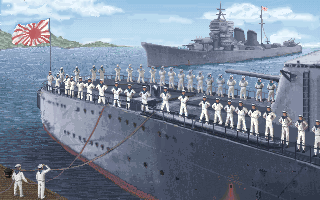
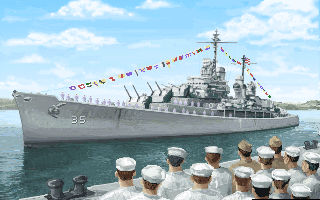
Once again beautiful artwork by MicroProse. Being able to extract and preserve these is what drives me to do this. Also in the the archive was this collection of stunning historical photos.
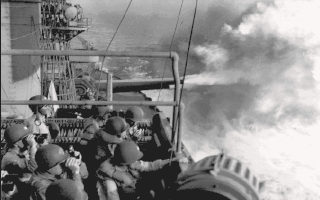
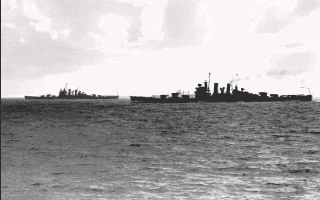
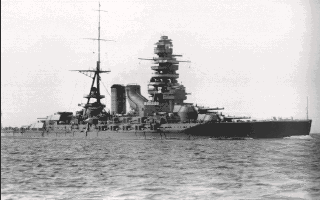
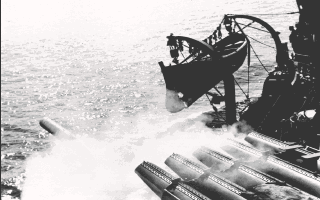
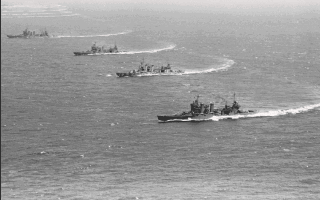
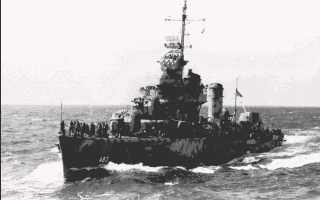
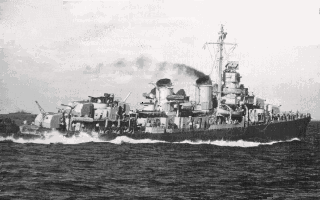
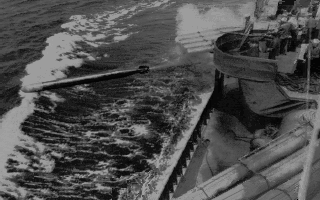
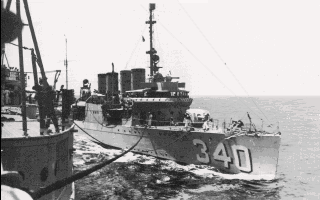

WARPIC1.PIC – WARPIC10.PIC
Looks like we have a 16bit variant and a 32bit variant. I’ll call these CDF16 and CDF32 instead of using the release year as I did with the the PIC format, as the data width appears to be the defining factor here. That leaves us with the following identified titles so far using the indicated variant.
- European Air War – CDF32*
- 1942: Pacific Air War – CDF32
- Task Force 1942 – CDF16
Note: I don’t have European Air War (EAW) assets to test, but these files are openable with Paulo’s tools as are the PAW files, so I’m assuming the same format.
This one is getting a bit long so in my next post on the CDF file format we’ll write the code to manage the AVL tree so that we can insert and delete files from the archives, and ultimately end up with a tool that can manipulate the file for modding purposes.

 Ouch my eye!
Leave a comment