We last left off having uncovered a dew more mysteries of the MicroProse PIC file format. We wrote a tool to examine PIC files to try and determine which version of the file they were, after some rework, we were fairly successful. Though in that process we uncovered a few new sub-variations in the data that we need to account for. In this post we will deal with those variations we discovered with the PIC90 version.
Note from the future: This is an ongoing effort, and as such certain details are incorrect, and will change over time as more titles using the format are discovered. With that said please note that the designations used here for the variants does change in the future, as newer dates of earliest use become uncovered.Both the PIC90 and PIC91 formats will be discovered to occur a year earlier than they do here, making them PIC89 and PIC90 respectively.
(As of Jun 21 2024)
Analyzing: 'CON01_44.PIC': PIC90: Type: 6 Image: 320x200 0x0b: max-bits: 11
Analyzing: 'STATION.PIC': PIC90: Type: 7 Image: 320x200 0x0b: max-bits: 11
Analyzing: 'PAGE1.PIC': PIC90: Type: f Image: 320x200 (Unknown Subtype)
Let’s start boy looking at the PIC90 sub-types we had previously identified (6 & 7). The two forms appear in binary to be identical, except for the type value. I suspect the format byte no longer carries with it the packed/unpacked signalling, and is just the LZW maximum bit width, as we always seem to see 0B now. I suspect that signalling for packed vs unpacked is being done through the type value itself. The question is, which type is packed, and which type is not, so let’s dig in.
PIC90 Type 6
First let’s look at type 6 which is one of the two formats we established earlier on when we were looking for variants. In this version the PIC starts with the following
PIC90 Type 6: [Type16][Width16][Height16][Format8][Data...]
06 00 40 01 C8 00 0B [Data ...]
06 00: Type 0x0006 (6)
40 01: Width 0x0140 (320)
C8 00: Height 0x00C8 (200)
0B: Format (11)
As I had hypothesized for packed/unpacked signalling comes from the type value itself. So let’s try. As an easy test, I will strip off everything above except the 0B and save it as a new PIC file, this should be compatible as a PIC88 file and our decoder. Now for PIC88 a format of 0B signals that the pixel data is packed, 2 pixels per byte. So I will save a second copy with the 0B replaced with F5 which would signal unpacked, 11 bits max-width.


Clearly type 6 appears to be unpacked, so if my hypothesis holds, we should see the opposite for type 7.
PIC90 Type 7
Now that we’ve established that type 6 is unpacked, let’s see if my hypothesis is correct, in which case for type 7 we should see that the data is packed.
PIC90 Type 7: [Type16][Width16][Height16][Format8][Data...]
07 00 40 01 C8 00 0B [Data ...]
07 00: Type 0x0007 (7)
40 01: Width 0x0140 (320)
C8 00: Height 0x00C8 (200)
0B: Format (11)
Nothing left to do but to repeat the process we did for Type 6 and see the result.


Well that clearly shows that type 7 is packed, and my hypothesis for the two types was correct.
PIC90 Type F
Now onto the more confusing type that came up as a surprise during my last post as we were writing and testing our code to identify what variant a given PIC file was. As there is no proper header denoting a version or anything like that, we had to look for patterns in the files. In that process we discovered that Rail Road Tycoon. This new mystery type starts off the same as the other we identified, but what follows is a mystery, as we don’t see a format byte.
PIC90 Type F: [Type16][Width16][Height16][Format8][Data...]
0F 00 40 01 C8 00 [Data ...]
0F 00: Type 0x000F (15)
40 01: Width 0x0140 (320)
C8 00: Height 0x00C8 (200)
Here’s the first 64 bytes for reference (highlighted according to the key above)
File: PAGE1.PIC  [10353 bytes]
Offset    x0 x1 x2 x3 x4 x5 x6 x7 x8 x9 xA xB xC xD xE xF  Decoded Text
0000000x: 0F 00 40 01 C8 00 00 22 11 11 22 02 00 11 22 11  · · @ · · · · " · · " · · · " ·
0000001x: 13 33 33 12 33 33 0B BB 20 B5 F9 07 69 C6 8E 19  · 3 3 · 3 3 · ·   · · · i · · ·
0000002x: 08 07 C1 98 01 29 C1 00 23 66 8C 90 31 03 00 D2  · · · · · ) · · # f · · 1 · · ·
0000003x: 02 86 10 00 30 3C 30 A0 A2 8A 8E 90 08 CC 00 40  · · · · 0 < 0 · · · · · · · · @
If we assumed that the LZW data started immediately after the width and height we would see the following. I have my doubts on this as it almost feels like there’s a pattern to the first bit of data, but I can’t place it.
File: PAGE1.PIC  [10353 bytes]  Segment Starting offset: 00000006
Offset     00  01  02  03  04  05  06  07  08  09  0A  0B  0C  0D  0E  0F  10  11
00000000: 000 091 044 042 022 000 044 044 111 189 0CC 046 131 199 02C 176 120 0DA
The data doesn’t look right, as the first two codes we see are out of range for this point in the data, we simply haven’t processed enough bytes yet, certainly not for the second code value. One of two thing is happening here, either this is not the start point for the LZW data, or a different compression scheme is being used. Before we go down the rabbit hole of a new compression method, let’s go back and look at those bytes that follow the width and height that seem peculiar.
File: PAGE1.PIC  [10353 bytes]
Offset    x0 x1 x2 x3 x4 x5 x6 x7 x8 x9 xA xB xC xD xE xF  Decoded Text
0000000x: 0F 00 40 01 C8 00 00 22 11 11 22 02 00 11 22 11  · · @ · · · · " · · " · · · " ·
0000001x: 13 33 33 12 33 33 0B BB 20 B5 F9 07 69 C6 8E 19  · 3 3 · 3 3 · ·   · · · i · · ·
0000002x: 08 07 C1 98 01 29 C1 00 23 66 8C 90 31 03 00 D2  · · · · · ) · · # f · · 1 · · ·
0000003x: 02 86 10 00 30 3C 30 A0 A2 8A 8E 90 08 CC 00 40  · · · · 0 < 0 · · · · · · · · @
Hmm, would you look at that, after 16 bytes (a convenient number) we see a 0B. Now there is no guarantee, as 0B can appear in a binary stream at any time, but given that we have exactly 16 bytes before makes it suspicious. Looking into another type F file, I find 0B again at the exact same position… this is very promising. But first, the 16 bytes. The thing that was bothering me about this run of bytes is that the values for each nibble are are always in the range 0-3, and given that there are exactly 16 of them, I think I know what they are.
Way back in my second post in this series, I mentioned that in CGA mode the game was somehow decimating down the 16 colour images, and even adding dithering to them somehow. Now I never made a post about it, but I had played with this a bit once I was successfully decoding images. I had planned to post about it down the road, as this was more of an interesting quirk of the game and how it was supporting 4 colour CGA mode with 16 colour source material, and not really relevant to the PIC file format. However now that I see this, it’s time to talk about it.
What I discovered, and was ultimately able to replicate to create and exact replica, pixel for pixel of how the game renders the image for CGA (at least for a particular screen) is that a lookup table of 16 records with 2 entries for each record. The source colour picks which record to use, and the position in the image selects which of the two entries to use. This allows for simple dithering to be achieved by having different values in each of the 2 positions.
px = cga_remap[px][(x ^ y) & 0x1];
With that one line of code, and an appropriate table I was able to do the following. (left is EGA/16 colour image, right is the CGA remapped version)


and as a reminder, this is what the game shows for the title screen in CGA mode.

I believe that those 16 bytes, are in fact that table, specific for that image, with our location based selector choosing which nibble of the remap byte to use. F15-SE2, doesn’t get this from a file, as far as I can tell. Instead the table(s) are hard-coded in the games code, but I think here with PIC90 they have moved it into the PIC file itself.
But who cares about CGA rendering, right? What we really want to know is does our image start after those 16 bytes?

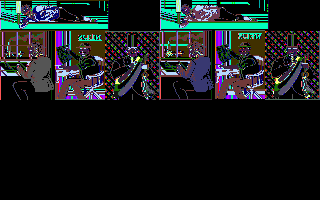
The answer is, yes… yes it does. And the image data appears to be packed, as is typical for most of the 16 colour graphics files we’ve encountered so far.
[Update] For the sake of completeness, I’ve extracted the CGA remapping and applied it to my older test code to render it here. (though I do not know which CGA palette is intended to be used, or what the background colour should be, as those would be defined in the application code. So I’ve rendered using the same palette as above, just with the dither mapping as defined by the data in the file)


Will still need to see if I can get a running version of the game to compare against to fully validate this.
So now we will need to update our detection code, as we now know the header is much larger than we initially expected. But I’ll pin that until later. With that said we can still learn a lot from the old code, it does a half decent job of detecting I think. Now all we need is more titles to look at.
This post is part of a series of posts surrounding my reverse engineering efforts of the PIC file format that MicroProse used with their games. Specifically F-15 Strike Eagle II (Though I plan to trace the format through other titles to see if and how it changes). To read my other posts on this topic you can use this link to my archive page for the PIC File Format which will contain all my posts to date on the subject.

 Ouch my eye!
Leave a comment