So far we’ve managed to make great progress in being able to fully decode the PIC image into a raw image that we can then save to whatever format that we like. There is one last part of the PIC format that remains unexplained/unexplored, and that is the ‘Format Identifier’ byte that is at the very start of the file. In this post we are going to investigate that, in a rather inquisitive manner…
So who exactly are we going to question for this Inquisition? You might ask… The answer is the game itself. The plan here is to attack the game code so-to speak by deliberately manipulating the ‘Format Identifier’ byte, to see how it affects decoding of a known image in the games code. Thanks to Neuviemeporte we learned that the game’s decoding engine is more universal than I had initially thought, and we can pass files not meant for a particular scene at any time. I had been abusing the fact that I can put any image I want in as “Labs.PIC” and have the game display it in place of the MicroProse logo at the start of the game, however I was sticking to images that had the same colour format, so 16 colour in this case. Now we know that we can feed in 256 colour images, and have it decode properly, albeit with an incorrect palette but that does not matter at this stage. That strongly suggests that the ‘Format Identifier’ byte signals this through its value. So in this post will will try to confirm that, as well as try to see if the value has any effect.
Test 1: Change 0x0b file to 0xf5
in this test we will modify the LABS.PIC file itself, changing its identifier byte to 0xf5, the only other value we’ve seen in the files we have, and appears to always be associated with unpacked files. IF that is the case, we would expect to see something like this, base on what our own decoding code does.

And with the game we get:
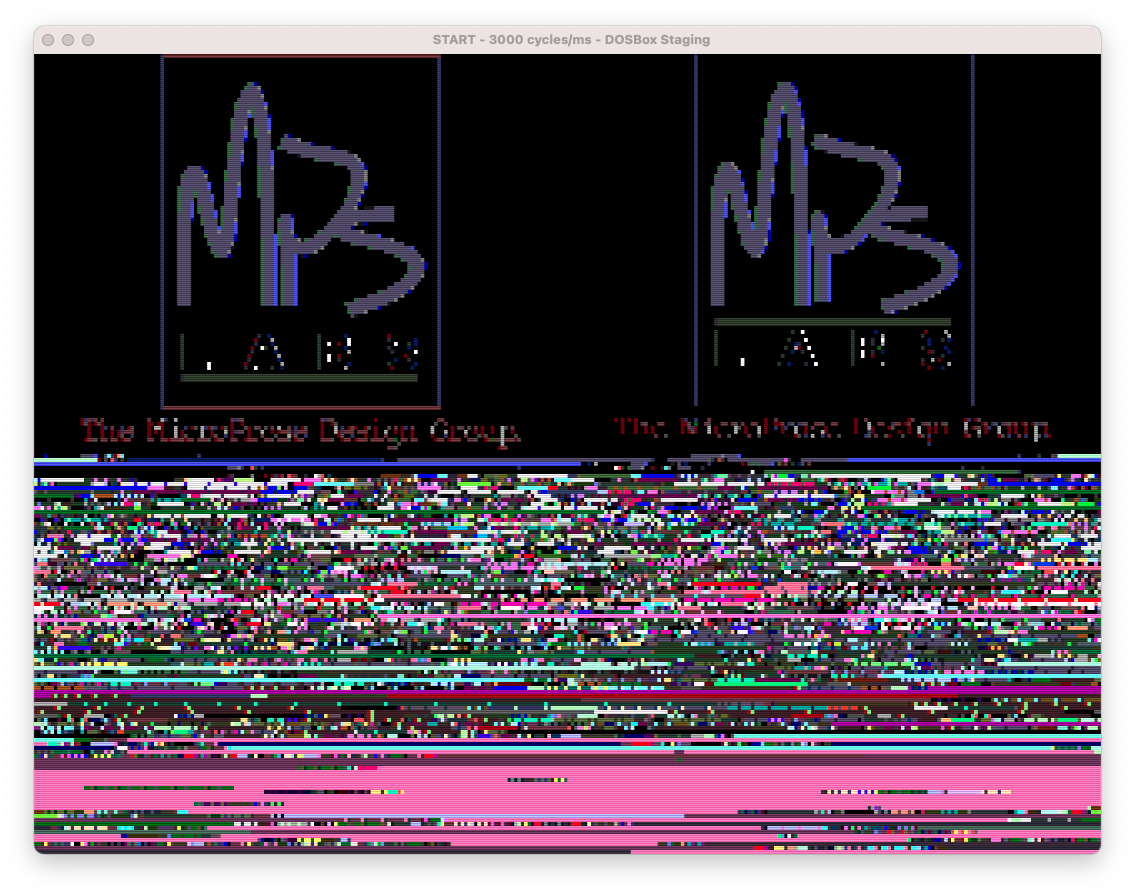
Well that pretty much confirms that. Now the question is, is the value some sort of bit-field, or does the value have some other meaning, and the sign of the value is what that is triggering this. Also interesting to note the garbage below the image, this is just uninitialized memory (or possibly worse, the games code is running past the end of the input buffer into other data). Our code explicitly writes 0x00‘s from the end of data to the end of the buffer.
Test 2: Change 0x0b to another value
In this test we’re testing to see if the magnitude changes anything, and if so how. Not sure how to predict this, so let’s just give it a go and see what happens. Here we are changing 0x0b to 0x0a effectively changing only one bit.

Now that’s very interesting. That almost looks like we changed the bit width of the LZW compression/decompression. I didn’t connect it before but 0x0b is 11 in decimal, and that is what we have as our LZW_MAX_CODE_WIDTH. let’s decrease it one more to 0x09 and see what happens. If it is the bit width, we should see it crap out even earlier.

Indeed it does appear we are changing the bit width. What if we go even more? Technically this should be impossible, as the code width cannot be the same as the symbol width.

Well it didn’t complain, and it took a very long time to render the screen. Not exactly sure what’s going on, but I suspect the decoder has adjusted the symbol width to compensate, thus is slow due to a lot of bit shifting. We won’t really be able to test that theory until we write our own compression/encoding code. But good to know that there appears to be an identifiable variability here. We will have to come back to this to test for a lower limit later. Now what happens if we increase the width, so let’s go from the original 11 to 12 (0x0b to 0x0c)

Well that didn’t change anything. Now the question is, is this image so small that it never fills the 11 bit table, or have we reached a limit here? Lets try TITLE16.PIC, as it’s a little bigger.

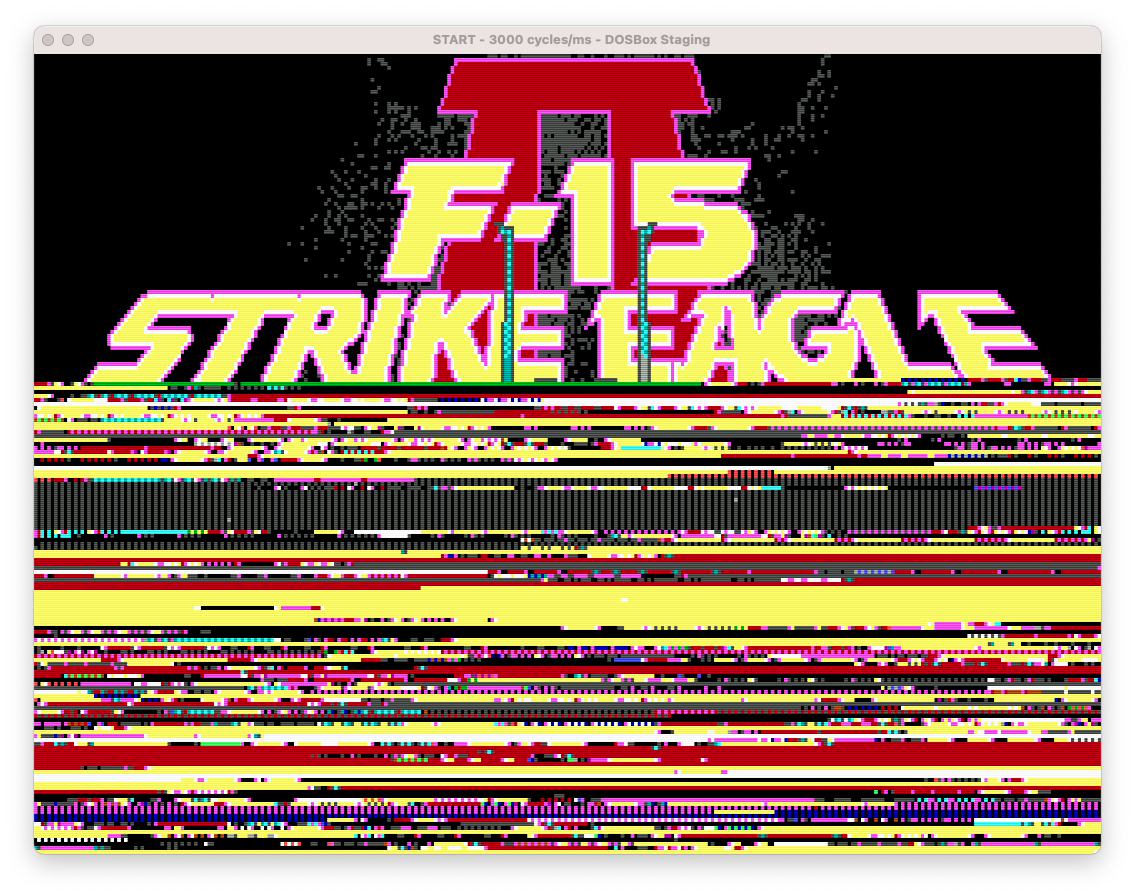

The failure point seems to remain the same between 11 and 12 bits, That appears to be the point where the 11 bit table becomes full and would reset. For comparison here is our 11 bit decode of title16, with the table freezing at 11 bits.

Well for now I think we can safely say that the value of the ‘Format Identifier’ byte controls the maximum bit width for the LZW decompression. We will have to come back later once we have our own compression code to test the upper and lower limits. Next we need to check to see what mechanism is actually triggering the packed vs unpacked data flag. The most obvious choice here is using positive/negative, as that would preserve the magnitude for the width.
Test 3: Is it signed?
So the plan here is basically repeat the previous test, but using negative numbers. We’ll switch to a 256 colour image here, and then test -10, -11, -12 to see if the game behaves as we would expect. (-11 being 0xf5 should render the full image normally)


It appears to behave exactly as I would have predicted, given our hypothesis. We fail earlier when we shorten the bit width, and later when we extend it. And that this aligns with what we saw with the positive values, it seems that sign is indeed the marker for packed vs unpacked encoding.
This turned out to be a pretty fruitful set of tests, far more so than I had imagined. We can now confidently say that the ‘Format Identifier’ is a signed value, with the sign acting as a flag for packed vs unpacked pixel data, negative being unpacked. And the magnitude of the value is the maximum bit width used in the LZW compression. I think we have all we need now to finalize our PIC decoding code, and even implement a PIC encoder. We do, however, need one more piece of data to properly render PIC files to images, and that is the palette. For 16 colour, that is done, as the palette there is fixed. Some work needs to be done to figure out the mechanism for 4 colour CGA mode, but more importantly we want to find the proper 256 colour palette. So for next steps think I want to hunt down the palette, if I can. We’ve seen in later titles, that actual Palette files were with the game. But with F15-SE2, and F19, there are no such files. The palette must be elsewhere, either in a data file or in the data section of the executable files themselves.
This tenth post in a series of posts surrounding my reverse engineering efforts of the PIC file format that MicroProse used with their games. Specifically F-15 Strike Eagle II (Though I plan to trace the format through other titles to see if and how it changes). To read my other posts on this topic you can use this link to my archive page for the PIC File Format which will contain all my posts to date on the subject.

 Ouch my eye!
Leave a comment